Wireless Do Not Disturb Indicator
The Wireless ‘Do not Disturb’ Indicator system has a Master unit that has a switch to select Status like BUSY, AVAILABLE, NOT AVAILABLE by different color indicator on the Slave device fixed outside the cabin/work place.
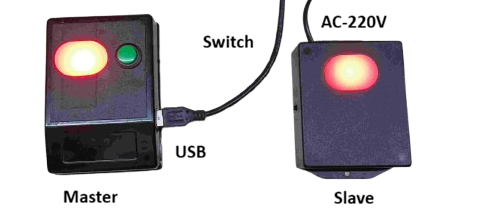
The Master is powered by USB from a PC or any USB power adapter (5V). A switch on the Master is pressed to select the Status. The Status colors can be selected in sequence of press from GREEN,RED,WHITE,BLUE,YELLOW. The Master Slave pair is done by their MAC address. Since the communication is very fast – normally 1 m.sec- there is absolutely no interference to any of the WIFI or other wireless networks. The distance of Slave from Master is normally 50-100 meters depending on partition materials.
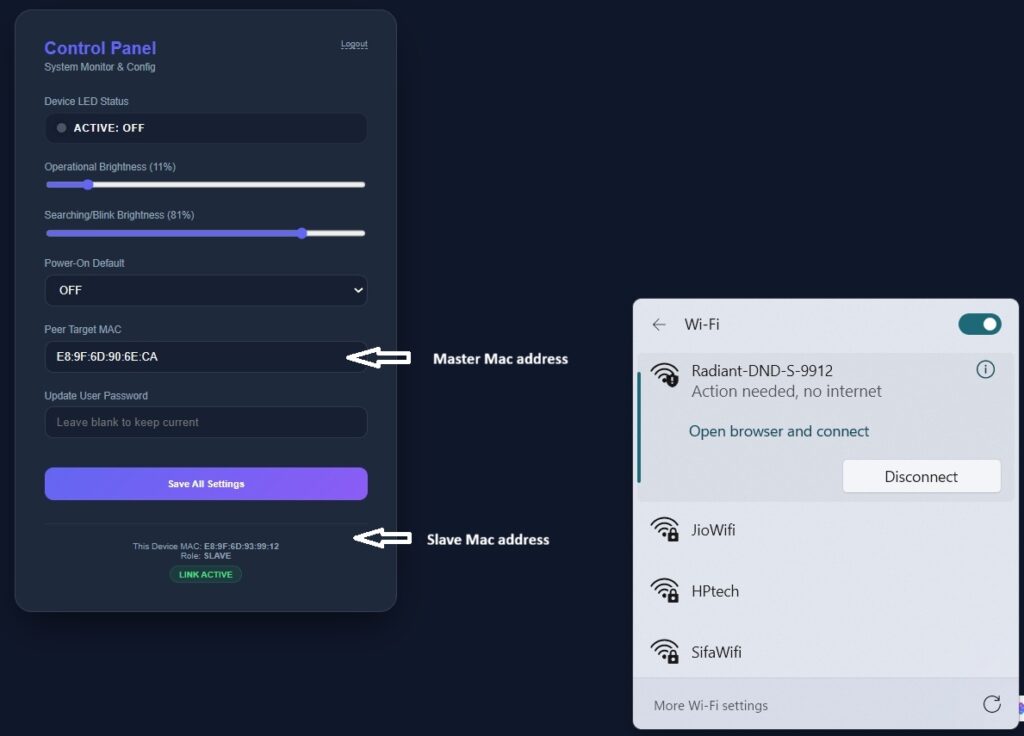
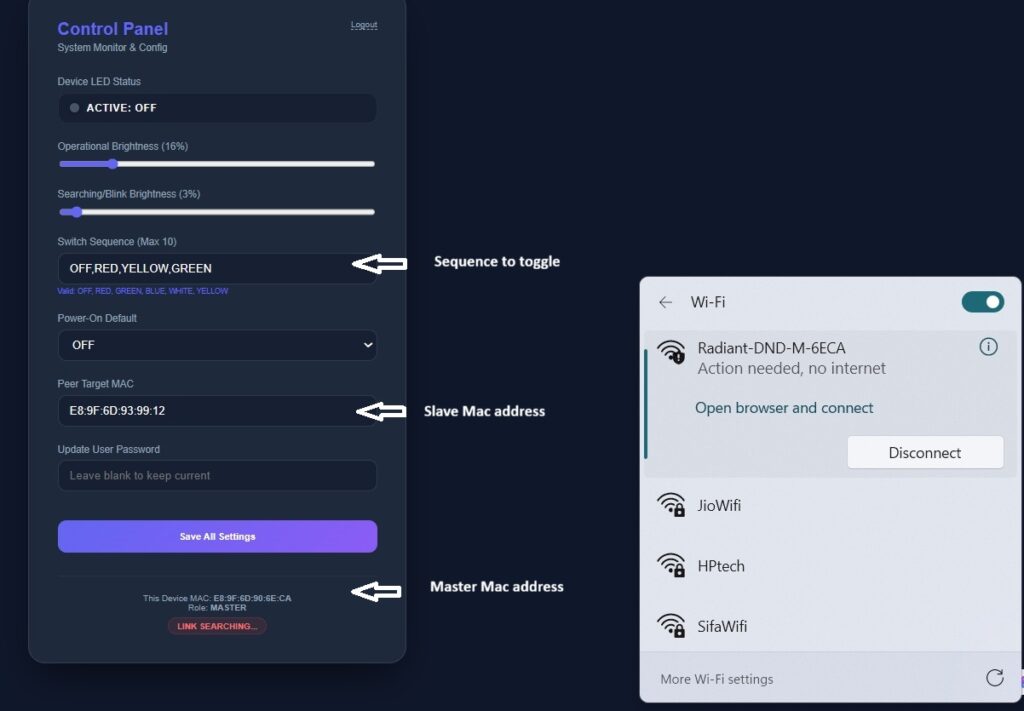
To setup the Master/Slave device, you have to keep the switch pressed while the power turned on. This will show a WIFI device Radiant-DND-M-xxxx in case of a Master and Radiant-DND-S-xxx in case of Slave. Please connect to the device and in the browser open the link http://192.168.4.1
In the Master Sequence you can set up to 10 sequences of Color.
In the Slave setting please enter the Mster Mac address.